Description
Set up an automated deployment of your Jekyll website via Jenkins.
Set Up Jenkins to Automatically Build and Deploy Your Site Based on Your Desired Branch
The following screenshots are only for the continuous deployment of the master branch. With some minor environment and branch changes, the same concept can be used for other branches.
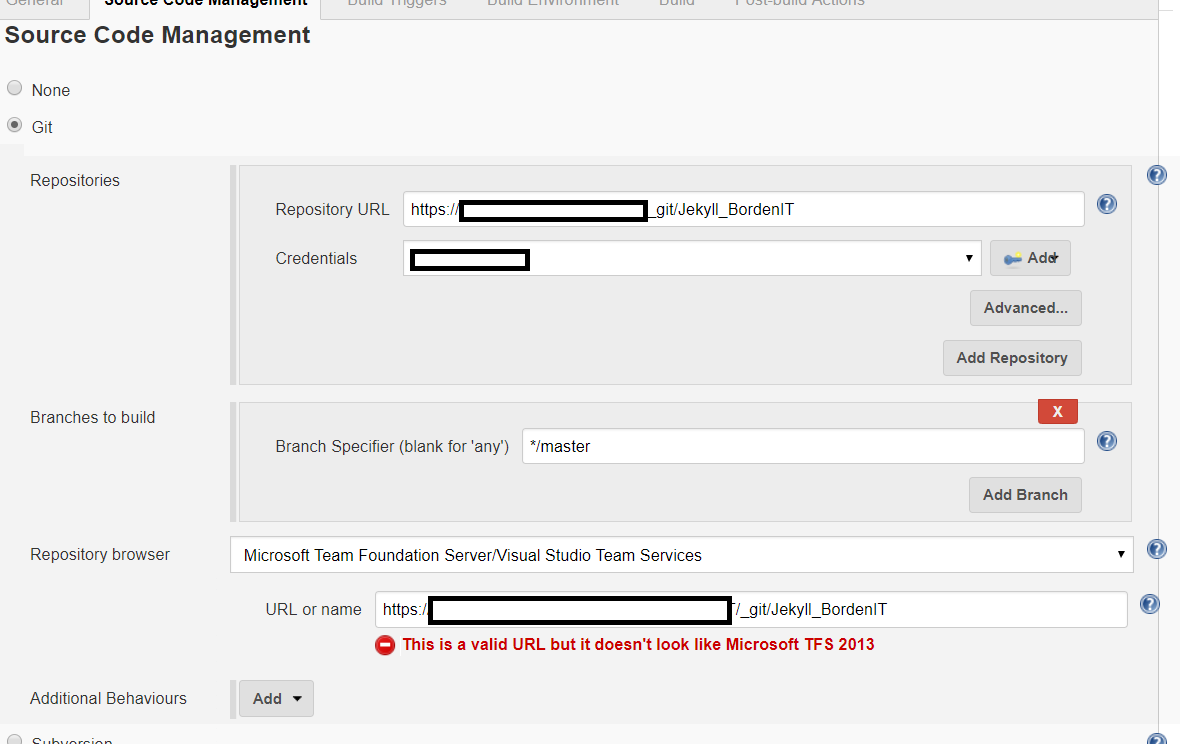
Source Code Management
The screenshot below uses a git repository via visualstudio.com. At the time of this post, you can get a free Azure DevOps account for up to 5 users with private git repositories. This is a pretty good deal if you don’t want to pay a few dollars for the private GitHub repositories.
Build Triggers
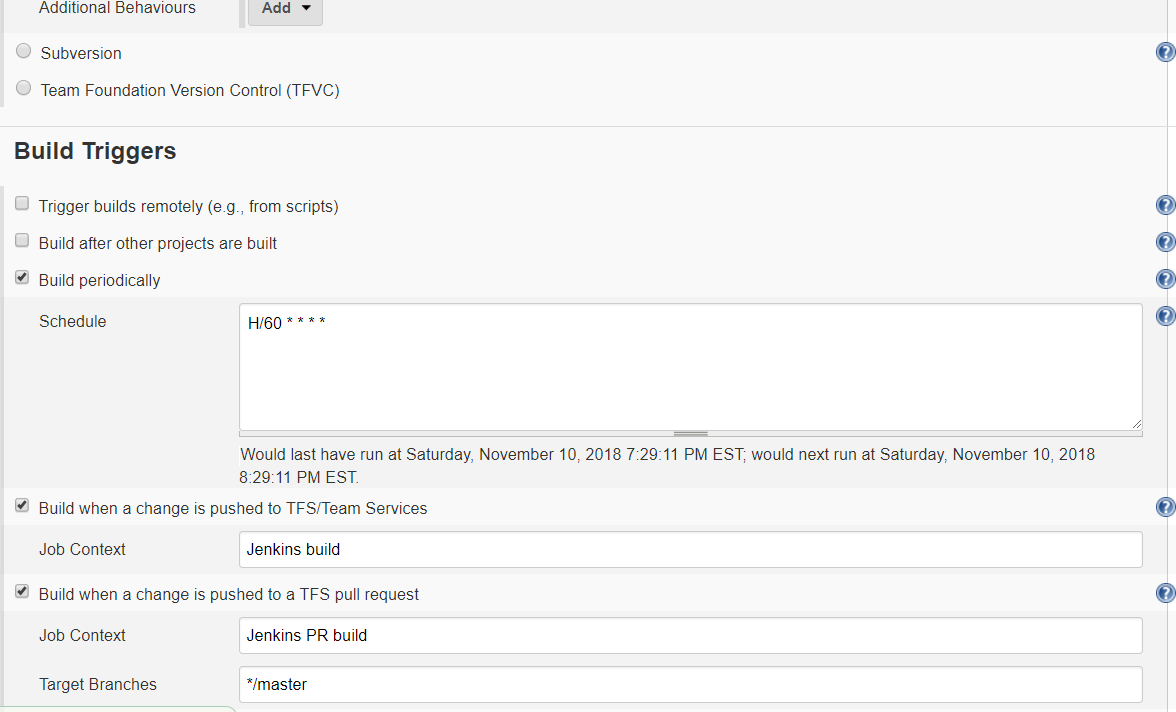
The build can be triggered periodically, or when changes are pushed to the git repository. The screenshot below builds periodically and after code changes.
Build Environment
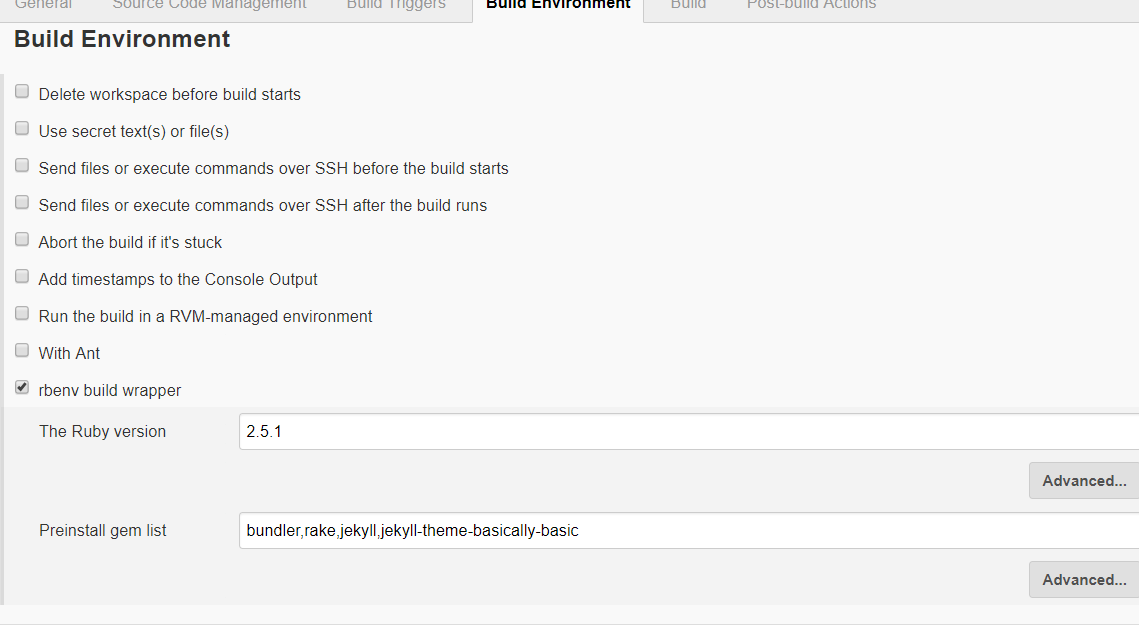
To build the environment, the rbenv plugin is used, which sets up the Ruby environment for us. This makes it very easy.
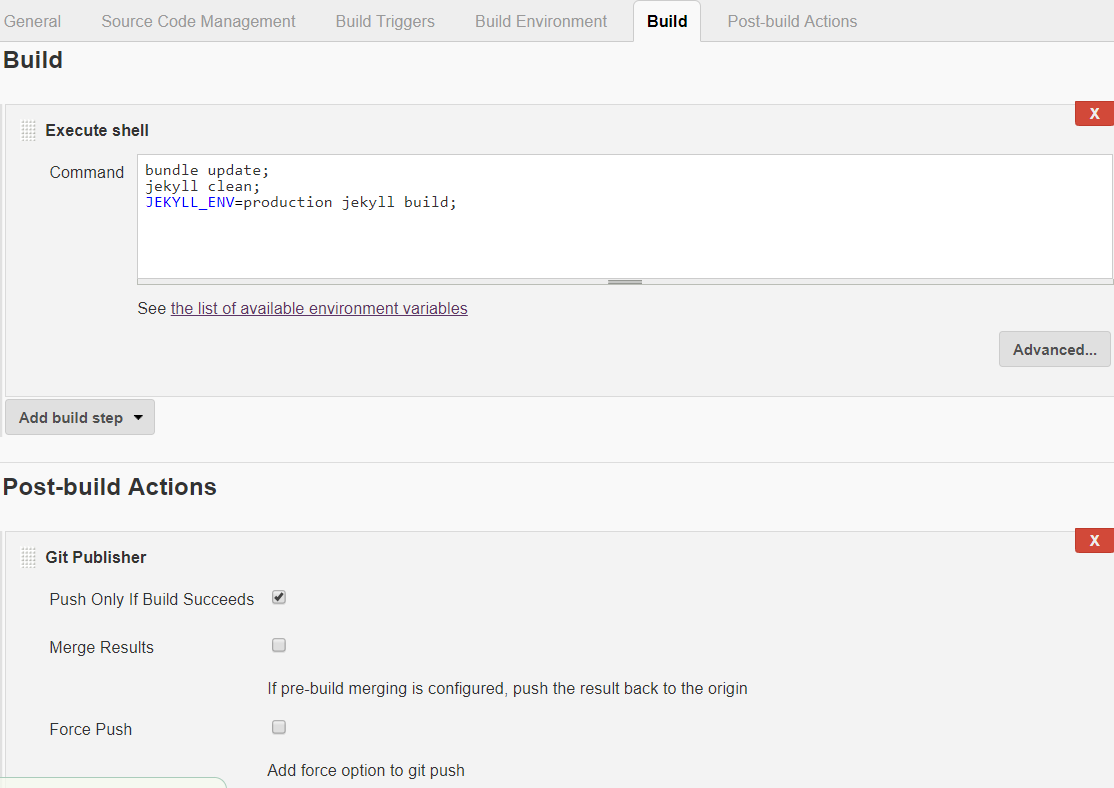
Build
Since rbenv is doing most of the work, it doesn’t take much to build Jekyll.
Post-build actions
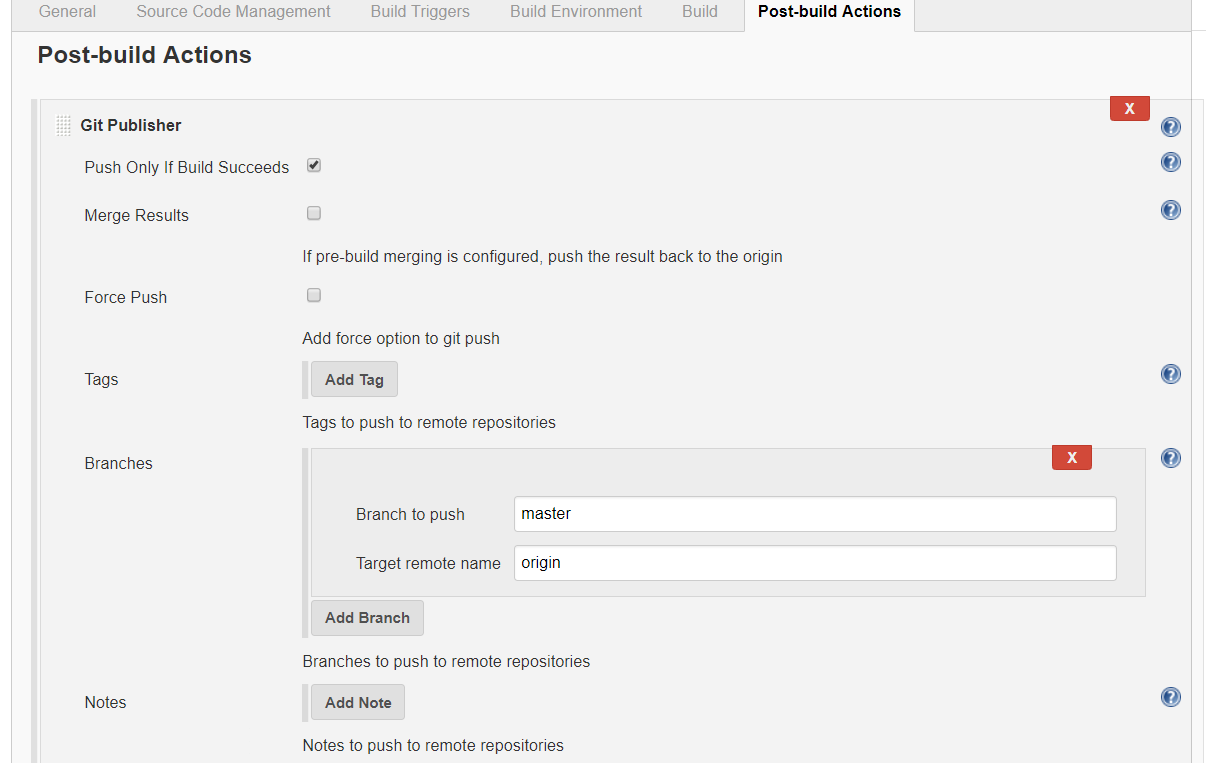
The Git Publisher is helpful for adding tags to your Git Repository. As you can see, not really used here (yet).
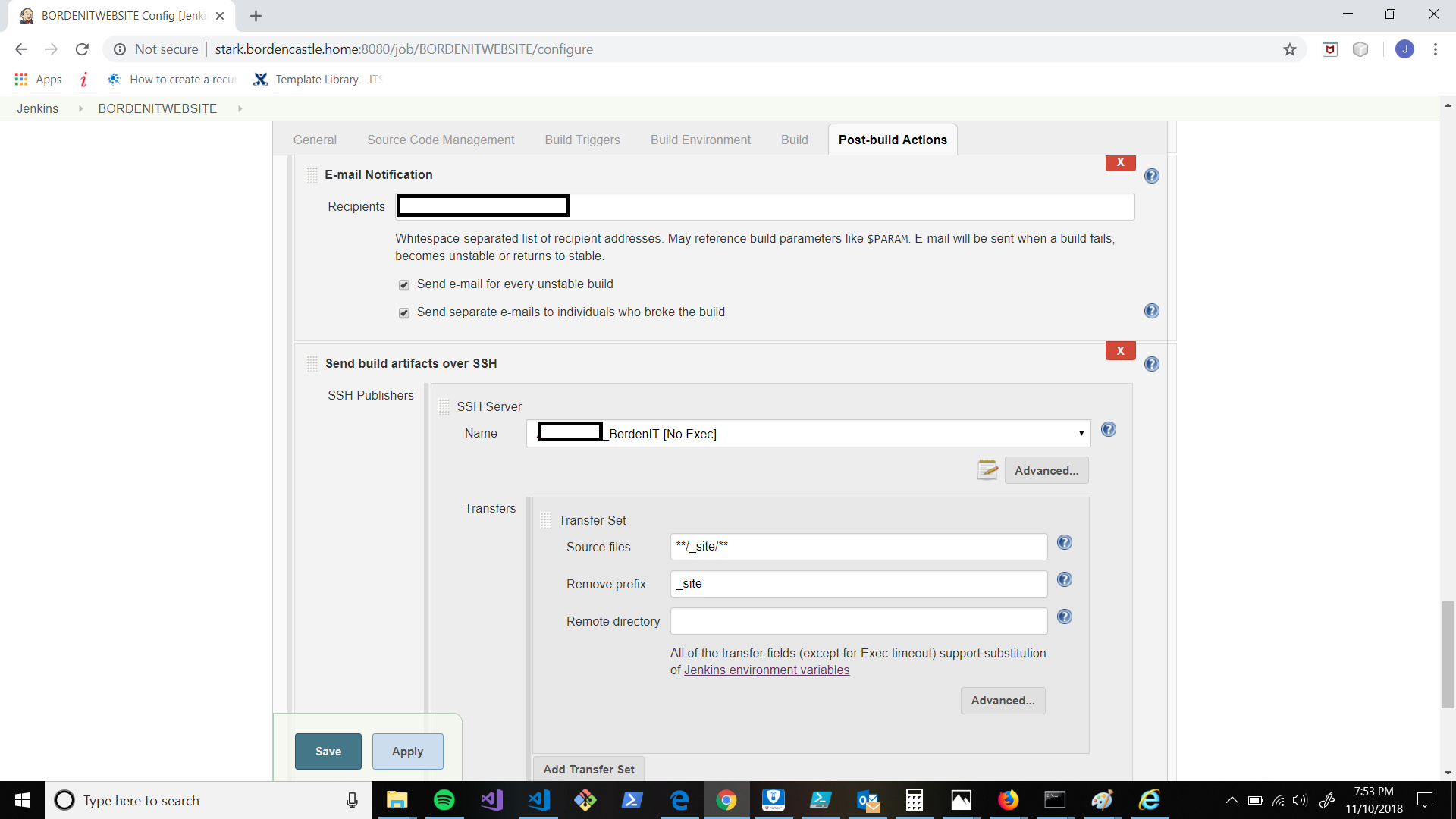
Without Jenkins automation, or perhaps a script, you would need to manually export the contents of the _Site folder to your web site. The Publish over SSH plugin can do that work for you.